
Apply to the agency
Two ways to join: get your invite code in TikTok Studio, or apply directly. Step-by-step guide.
Two ways to join
Choose your region
Not in the list? Apply to our Stream Ember agency in Türkiye.
1
Get an invite code
Open TikTok's agency center, copy your invite code and send it to Stream Ember. We send you the invitation.
tiktok.com/t/ZSgkWpxMf/
Get my invite code on TikTokOr in the app: TikTok › Settings and privacy › Creator tools › LIVE Center › Agency Center.
Copy the invite code on your screen and send it to your agent.
2
Apply directly
Apply to Stream Ember straight from TikTok. Approval usually takes a few days.
tiktok.com/t/ZSCuBuA8u/
Apply on TikTokHow to find your invite code
In the TikTok app, step by step.
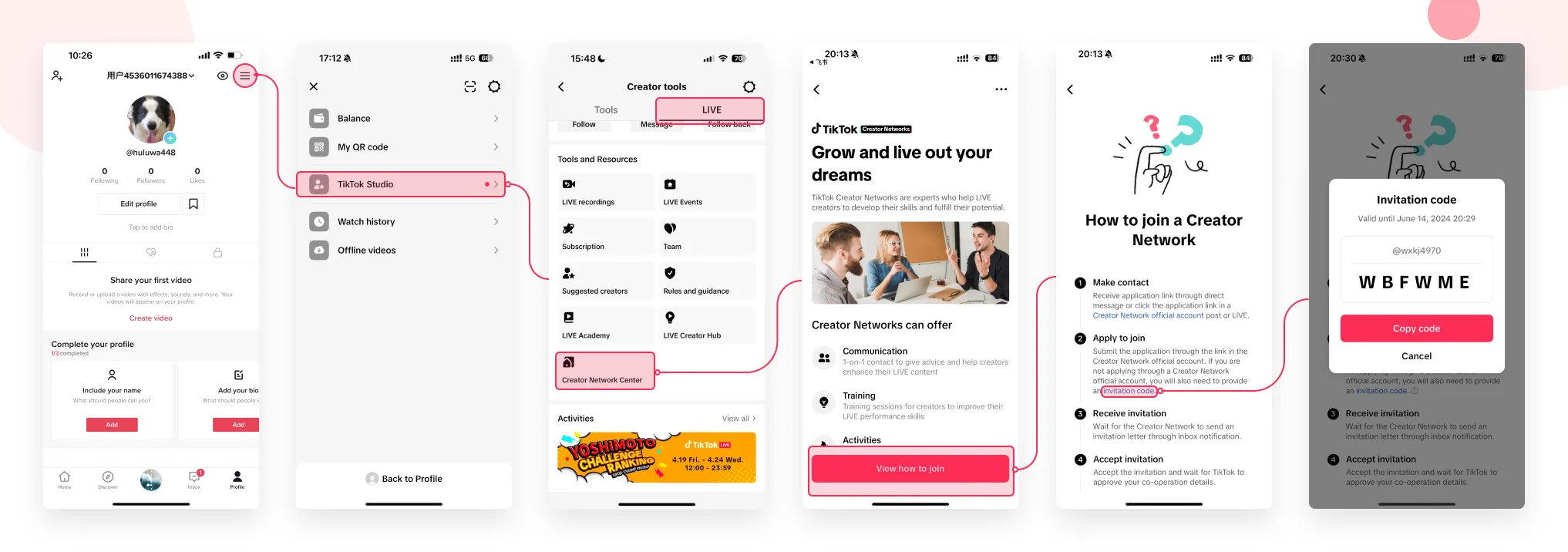
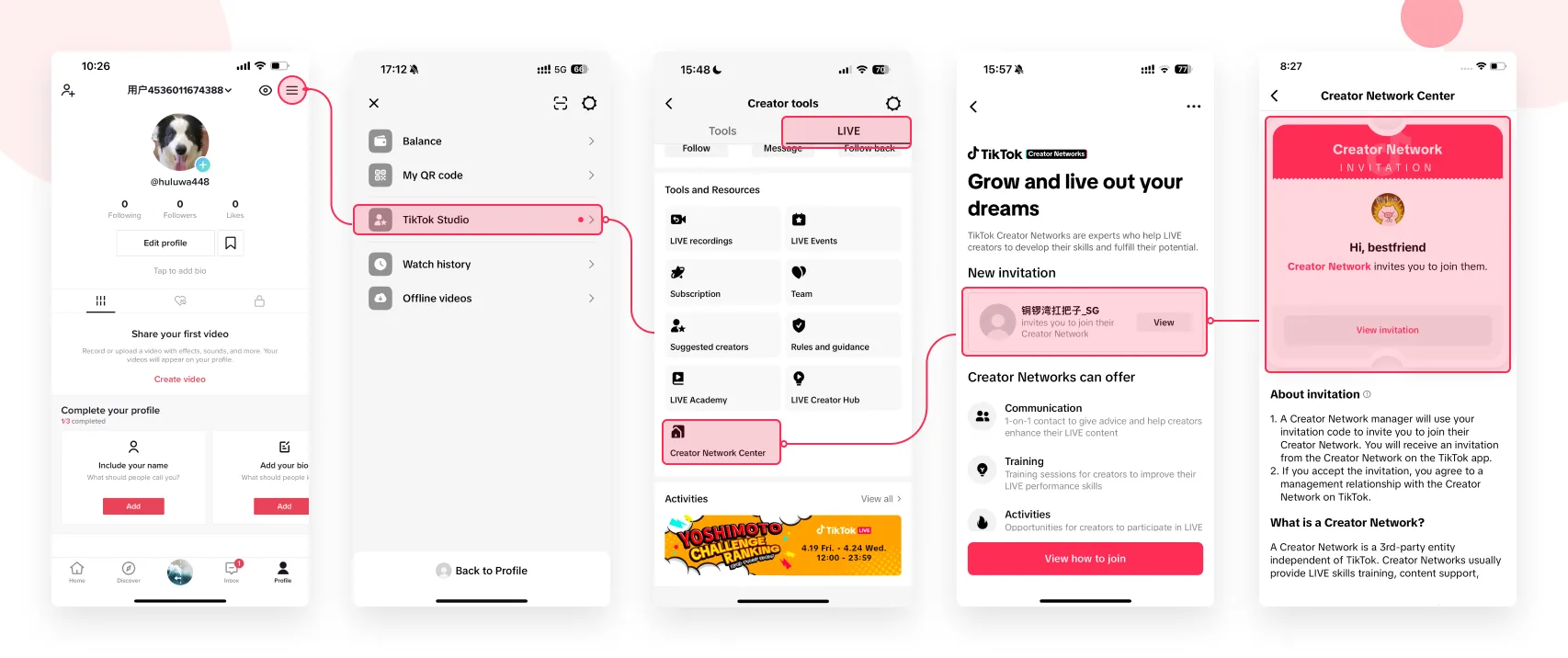
Swipe · tap to enlarge
- Open your profile menuTap the three-line menu at the top right of your TikTok profile.
- Choose TikTok StudioTap TikTok Studio in the menu.
- Find Creator Network CenterOpen the LIVE tab, then select Creator Network Center.
- Open the joining guideTap View how to join.
- Tap invitation codeOpen the invitation code link under Apply to join.
- Copy your codeTap Copy code and send your own code to the team.
Localized example · TikTok screens may change